What Is an API? A Complete Guide for Developers
Learn what an API is, how APIs work, and what makes REST APIs different — with real code examples, diagrams, and best practices for developers.
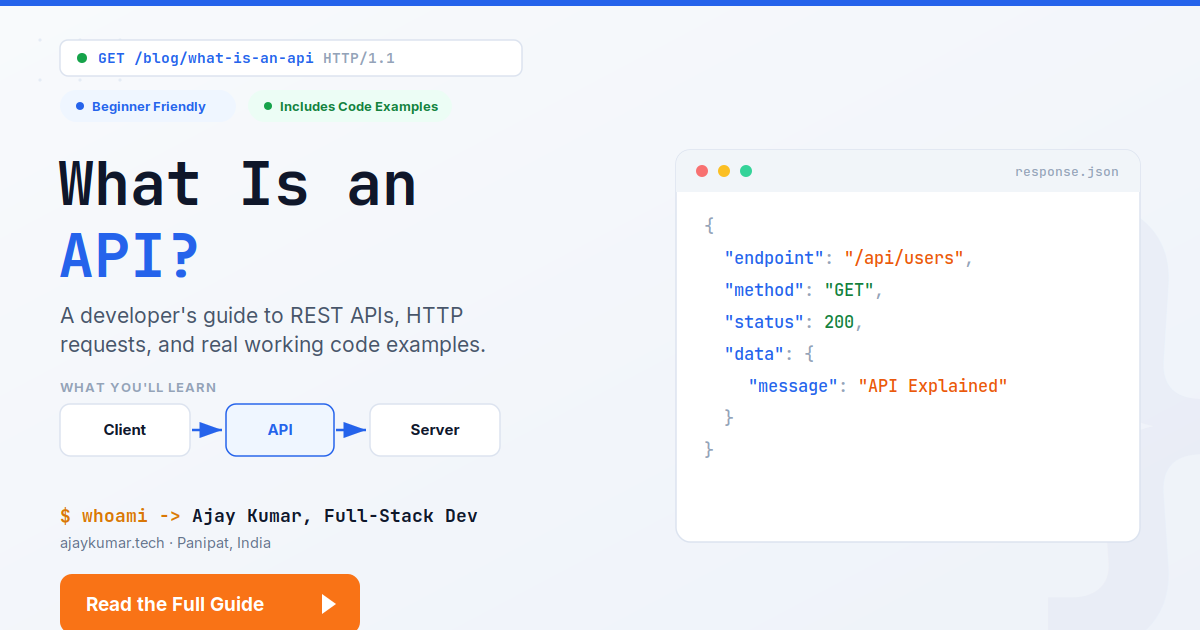
Each time you open the weather app in your smartphone, make payments online or sign in to the website with your Google account, API works in the background. It doesn't draw your attention. It's not noticeable. Yet, without it, nothing of this could take place.
Whether you want to master the topic of web development, apply for the job of a developer or simply get to know what "API" really means and is all about aside from a buzzword, here's a comprehensive guide that explains it all — both in plain English and with actual code snippets.
By the end of this post, you will know what API is, how it works, what makes REST API different from other types of API and how to make your first API request.
What is API?
API stands for Application Programming Interface. For the sake of simplification, an API is a set of rules allowing two software applications to talk to each other.
Consider this analogy. Application No. 1 says: "I need this data" or "do this action," and API delivers the message to Application No. 2 and brings back the answer, without knowing the inner workings of either of the two applications.
This is basically all that there is to say about API. It:
- Specifies the requests that may be made
- Specifies how to make those requests (in what form)
- Returns an answer to a request (usually data)
It is not necessary to know how the server of a certain bank works in order to see your account balance via the corresponding application. All that needs to be done is to ask the server the right question via an API.
An Analogy from Reality
Consider an application for ordering meals from various restaurants. You install it, check out the restaurants, and place an order. Here is what really happens:
- The application (client) asks for "Menu of Restaurant X".
2. This request goes through the API, which can communicate with the ordering system of the restaurant.
3. The server of the restaurant processes this request and provides menu information.
4. The API returns the information back to the application.
You do not even know about the database of the restaurant. You do not have any access to its internal code base. An API stands as a mediator that allows this communication — secure, predictable, and transparent to its internal working.
Here is the reason why APIs play such a crucial role in today's software engineering: they allow companies to expose only those parts of their system that other software would need.
So How Do APIs Work?
Technically, most of the APIs implement a client-server communication model. The client sends a request, server processes it, and a response arrives.
This process can be broken down into four main steps:
- First, the client, which could be the browser or an application, requests from a particular endpoint, which is usually a URL pointing to a certain resource, such as /api/users.
- Secondly, the API analyses the request to determine its validity and what the request is meant to accomplish.
- The server then performs the requested task by performing database queries, processing data, or executing other functions.
- Finally, a response, usually in JSON form, with a status code is returned to the client.
These four steps take place within a matter of milliseconds and multiple times when a webpage is opened.

What Is a REST API?
If you have looked up “what is API,” you might have noticed the term REST API thrown around everywhere. REST, short for Representational State Transfer, is not a software or programming language but rather an architectural style.
When we say a REST API, all we mean is an API built following REST principles. Here are the main REST principles:
- Resources can be identified by a URL. So, /api/users/12 means a specific user.
- Action on resources is defined by the use of standard HTTP methods. You do not need separate URLs for operations like “get a user” or “delete a user,” as the HTTP method will tell the server what you want it to do.
- Statelessness. There is no session state stored on the server side; each request has all the information needed.
- The data returned as a response is usually formatted using JSON, which is lightweight and easily readable for any programming language.
REST became the predominant API design style precisely due to its simplicity and the fact that it is based on technologies that already exist in the web stack.
Common REST API HTTP Methods

| Method | Purpose | Example |
GET | Retrieve data | GET /api/users |
POST | Create new data | POST /api/users |
PUT | Update existing data | PUT /api/users/12 |
DELETE | Remove data | DELETE /api/users/12 |
If you remember nothing else about REST, remember this table. It's the foundation almost every backend framework — Express, Django, Laravel, Spring — is built around.
A Real API Request, Step by Step
Let's stop talking theory and actually call one. Here's a GET request in JavaScript using the built-in fetch() function, hitting a free public API:
// A simple GET request using fetch()
fetch("https://jsonplaceholder.typicode.com/users/1")
  .then((response) => response.json())
  .then((data) => {
    console.log(data);
    // { id: 1, name: "Leanne Graham", email: "Sincere@april.biz", ... }
  })
  .catch((error) => console.error("Request failed:", error));
That’s all. Your browser (client) made a request to an endpoint, the server replied with JSON, and now you’ve got actual data on your application.
Making the Other End: A Basic API Endpoint
APIs are not only the thing you use; as a developer, you will also need to make them. Here is a basic REST API endpoint implemented with Node.js and Express:
const express = require("express");
const app = express();

app.use(express.json());

// Sample in-memory data
const users = [
  { id: 1, name: "Asha Verma" },
  { id: 2, name: "Rohan Mehta" },
];

// GET /api/users - returns all users
app.get("/api/users", (req, res) => {
  res.status(200).json(users);
});

// POST /api/users - creates a new user
app.post("/api/users", (req, res) => {
  const newUser = { id: users.length + 1, name: req.body.name };
  users.push(newUser);
  res.status(201).json(newUser);
});

app.listen(3000, () => console.log("API running on port 3000"));
Give it a try; GET http://localhost:3000/api/users would get you the users in JSON format - just like in the diagram shown above. And that's actually the way most production backends work, but they use a database instead of an array.
API Styles Other Than REST
The RESTful approach is currently the most widespread one. Getting acquainted with other types will allow you to share the same language with experienced developers and technical recruiters:
- SOAP (Simple Object Access Protocol): An older, less flexible API working on XML. Usually used in financial institutions and enterprise software because of its contract requirement.
- GraphQL: The client can ask for only the data needed at once, instead of doing multiple REST requests. Great for applications having data structure.
- WebSocket APIs: A long-lived connection between the client and the server which allows them to communicate in real time. Usually used in instant messaging applications and in multi-player mode.
- Webhook APIs: Instead of requesting the data on the client side, it is pushed by the server in case of any particular event (e.g. payment confirmation).
One doesn't necessarily have to know them at once. What is important is the knowledge that REST is not the only option, which demonstrates true understanding of the subject.
Where You Are Already Using APIs Daily
- Applications showing current weather conditions fetch real-time data via an API from the weather service.
- "Sign in with Google/Facebook" buttons utilize OAuth APIs to authenticate you without having to provide your password.
- Online payment gateways (Stripe, Razorpay, PayPal) employ APIs for secure payments.
- Embedded maps in website pages work because of the Google Maps API.
- The social feeds that show up on non-social applications are usually accessed via platform APIs.
Almost any modern product is actually a combination of multiple products via APIs.
Why It Really Matters for Your Career
If you're studying coding or want to do freelance or full-time work as a developer, knowing about APIs is more than just required – it's essential. Virtually every frontend application communicates with the backend via an API. Virtually every backend job requires creating APIs for use by someone else. And virtually every "integration" that a client wants to see done – payments, mapping, email, SMS, AI – is done using a third-party API.
Being intimately familiar with how APIs work and able to both consume them and create them is one of the quickest ways to become truly valuable on a real-world project right away.
Best Practices in Working with APIs
Some practices that distinguish developers that "know APIs" from developers that work with APIs well:
- Always check for the status code, and not just the response body. Any possible errors need to be handled explicitly.
- Before writing any code, read the API documentation. Different APIs have different endpoints, headers, and authentication methods.
- Never hardcode API keys/credentials into your frontend code. They should be stored as environment variables in the server-side application.
- Work with failures in a graceful manner. There will always be cases where the network is down, or the API itself is unavailable – your application needs to handle such failures well.
- Don't ignore rate limitations. Every API has certain rate limits (number of requests per minute).
Concluding Remarks
There’s nothing mysterious or scary about API – it is simply an agreement between two systems making cooperation possible without the need to comprehend each other’s internal structure. After you get this, such terms as REST, endpoint, and status code become useful and not scary at all.
In case you are working on projects to master this, why don’t you give it a go yourself – choose some open API, send a GET request, and try to create your own endpoint like this one above with Express. One cycle consisting of using an API and creating an API will be one of the most efficient methods to really learn backend development.
Do you have any project where you need a REST API to be created or already existing one to be integrated? I create and integrate APIs for web and mobile apps.
What is an API in simple terms? +
An API is a protocol allowing one software to ask another software for information or actions to take without knowing how it is made internally.
What does API mean? +
API is short for Application Programming Interface.
How does API work? +
The client makes a request to some endpoint. The server receives that request and returns a response that comes in JSON format and includes the status code of whether that action was successful or not.
What is REST API? +
REST API is an API that follows REST architecture principles and works with resources through URLs using common HTTP methods such as GET, POST, PUT, DELETE.
What is API in programming? +
An API in programming is the interface that is exposed by some code for its interaction with other code — be it your own application, a third-party service, or some other people's backend.
Be the first to comment.